
Can I use a Buf Box controller in Iris QC Pro?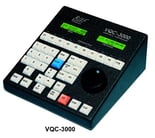
Yes, GrayMeta recommends the DTECH DT-5019 USB to RS-422 converter.
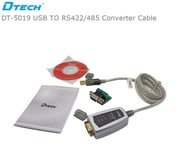
This has been certified, and the wiring instructions and installation notes are below.
The pin-outs to make a cable join between the DTECH and a BufBox controller:
Connector A (to DTECH). 9-pin D, female with 2 x screws
Connector B to Controller. 9-pin D, female with 2 x nuts
A (to DTECH) pins---------B (to controller) pins
Tx+ 1 ---------------------- 7
Tx- 2 ----------------------- 2
Rx+ 3 ---------------------- 3
Rx- 4 ----------------------- 8
Gnd 5 ---------------------- 4
After you’ve installed the DTECH, go to the Windows Device Manager to see which COM port it has assigned. Then use that COM number in Iris QC Pro. Go to Iris -> Options -> Performance and enable RS422 in RS422 Settings. Then select the COM port assigned.
*Note: You can use any RS422 device as long as it appears in Windows Device Manager as a COM port. Just enter the port number into the Iris QC Pro Options->Performance->RS422 setting and it should work. You will need to wire up the appropriate signals for Tx+- and Rx+-.
Ground is not normally required.